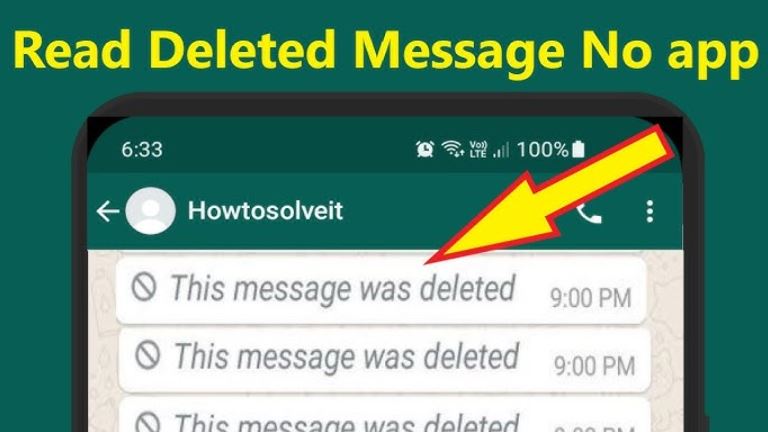
Have you ever received a message saying, “This message was deleted?” If yes, then you must be curious to know the message that was sent to you by the sender. There may be many reasons why the sender may have deleted the message, and you may be curious to know the message that was sent to you.
In this blog, you will be able to understand how messages can be deleted on WhatsApp, and you will be able to know the possible ways to recover the message that was sent to you.
How Message Deletion Works on WhatsApp
When a message is sent on WhatsApp, and the sender deletes it, the message that was sent to you will be replaced with a notification saying, “This message was deleted.” This notification will be sent to you by WhatsApp, and you will not be able to see the message that was sent to you.
Possible Ways to See Deleted Messages on WhatsApp
Although there is no specific option to recover the message, there are a few situations in which the deleted message can still be visible.
1. Notification History on Android Devices
In some Android devices, there is a notification history. If the notification was visible in your notification panel before it was deleted, the notification’s text preview may still be visible in your device’s notification logs.
Limitations of This Method:
- The notification should have been enabled.
- Only the text preview can be visible.
- Media files cannot be restored.
- This method cannot be used for iPhones.
This method is not guaranteed to work. However, in some cases, it can solve the problem.
2. Restoring from Backup
The second possible solution is to restore from a backup. The backup of WhatsApp messages can be restored from:
- Google Drive on Android devices.
- iCloud in iOS devices.
If the deleted message was present at the time of the last backup, the backup can restore it.
Limitations of This Method:
- The WhatsApp application should be uninstalled.
- The application should then be reinstalled.
- All messages received after the last backup will be deleted.
The backup should have been done before the message was deleted.
Because of these limitations, it is not a convenient method.
GBWhatsApp and the Anti-Delete Messages Feature
Most people looking for a direct method are often advised to use GBWhatsApp. This is because it is a modified version of WhatsApp with additional features.
The first thing that is usually talked about when it comes to the features of GBWhatsApp is the ‘Anti-Delete Messages Feature.’
When the anti-delete message feature is enabled:
- Messages sent and later deleted by the sender remain visible.
- When the sender deletes the message, it still shows on the screen.
- In some cases, even the sender’s deleted status updates may be viewed.
- The sender does not know that the message or the updates are still visible.
This is because the sender cannot send the message deletion request to the receiver’s phone. After all, the ‘GBWhatsApp’ app does not allow the sender to delete the message from the screen.
This is the reason why the anti-delete message feature is the most important reason why someone would want to use the ‘GBWhatsApp.’
Important Risks of Using GBWhatsApp
Though the anti-delete feature may seem very attractive and appealing, it is very important to note the risks associated with using GBWhatsApp.
- It is not an official app developed by Meta.
- It is not available on the Google Play Store or the Apple App Store.
- Using third-party apps may lead to a breach of the terms and conditions of using WhatsApp.
- There is a chance of account banning, either temporarily or permanently.
- There is no guarantee of security, as the security features of the app have not been verified.
Since GBWhatsApp is developed by third-party app makers, there is no guarantee of the level of transparency when it comes to the handling of user data. This is a major concern.
Is It Worth Switching to GBWhatsApp?
Well, the answer to this question depends on your interests and the level of priority you give to different factors.
If you are interested in:
- Account security
- Official app
- Data encryption
Then, it is best to stick to the official WhatsApp app.
If you are interested in:
- Viewing deleted messages
- Customization
- Privacy
Other features such as hiding blue ticks, auto-reply, etc.
So, GBWhatsApp seems to be more appealing at first sight. However, prior to installing this, one needs to understand the possible risks, including account suspension and security guarantees.
The Simplest and Safest Solution
At times, the easiest solution is to ask the sender of the message what they sent. This is because most of the time, deleted messages are corrections or mistakes.
Curiosity can get the best of anyone, but account security is not always worth the risk of seeing a single deleted message.
Final Thoughts
There is no official means of viewing messages that were deleted by the sender of the messages. This is because there is no specific feature on WhatsApp that allows one to view deleted messages. The notification history and the ability to restore backups can be of little help.
GBWhatsApp has an anti-delete feature that enables one to view deleted messages. However, this comes with the possibility of security risks, including account suspension.
Leave a Reply